LIVE STREAM
Hi Brothers,
Please note there are 2 options for listening to the meetings see below.
OPTION 1 – Meeting Dial In
Dial in
02 8015 6011
Meeting ID: 124 804 404
OPTION 2 – Zoom Meeting (Audio,Video and Answering)
This is the Recommended platform to listen to the meetings see notes below.
Join Zoom Meeting
Users Guide:
Download “Zoom Cloud Meetings” on PC, IOS or Android.
Please Only Join 1 connection Per family/household
Please use you Family name when joining to assist with answering.
ANDROID Connection
Click the link above it will then open Zoom meetings
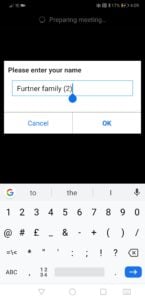
Enter your Family name and in (brackets) the number of people listening
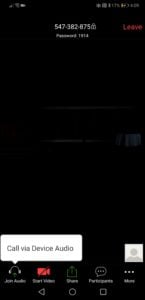
Then click “Join Audio” then “Call via device Audio”
You should now be able to hear and see the meeting.
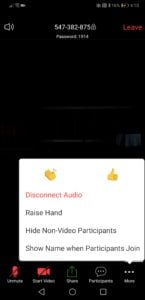
To make a comment click the “more” icon and then “raise hand” the conductor will now see that you would like to make a comment.
After the start of each new paragraph or question all “Raised hands” will be cancelled to avoid confusion.
If you would like to share your video click the “start video” icon.
All in attendance will then see your video and you will see a small video of yourself so you know you are broadcasting.

IOS Connection
Click the link above it will then open Zoom meetings
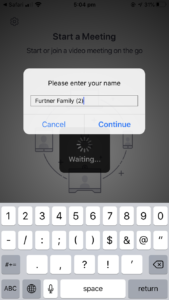
Enter your Family name and in (brackets) the number of people listening
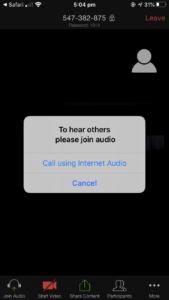
Then click “Call using internet Audio”
You should now be able to hear and see the meeting.
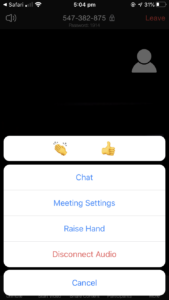
To make a comment click the “more” icon and then “raise hand” the conductor will now see that you would like to make a comment.
After the start of each new paragraph or question all “Raised hands” will be cancelled to avoid confusion.
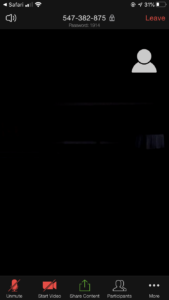
If you would like to share your video click the “start video” icon.
All in attendance will then see your video and you will see a small video of yourself so you know you are broadcasting.